

15 Jul Stop Email Spoofing
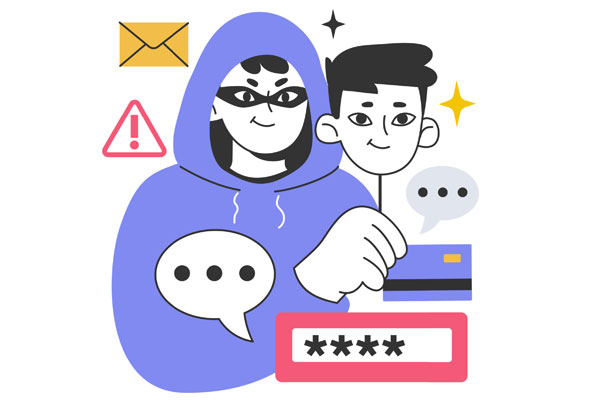
Many businesses assume their email domain is protected, but without the right controls in place, a cybercriminal can still send emails that appear to come from your organisation, complete with your domain name and branding. At TCT, we use Mail Hardener to help combat email spoofing by implementing and continuously monitoring the three critical email authentication standards: SPF, DKIM and DMARC. While many organisations have one or two of these configured, an incorrect or missing DMARC policy is often enough to allow fraudulent emails through. Mail Hardener provides visibility into who is sending email on behalf of your domain, identifies configuration issues, and helps enforce policies that prevent attackers from impersonating your business, protecting your clients, suppliers and reputation from invoice scams, payment fraud and other email-based attacks.
The Three Controls That Stop Email Spoofing
Mail Hardener focuses on three critical email authentication standards that work together to protect your domain and your reputation.
SPF (Sender Policy Framework)
SPF identifies which mail servers and cloud services are authorised to send email on behalf of your domain. Mail Hardener monitors and validates these records to ensure only approved systems can send legitimate email, helping prevent attackers from impersonating your business.
DKIM (DomainKeys Identified Mail)
DKIM adds a digital signature to every email your organisation sends. This signature allows receiving mail systems to verify that the message genuinely came from your domain and has not been modified during transit. Mail Hardener ensures DKIM is configured correctly across Microsoft 365 and any third-party email services you use.
DMARC (Domain-based Message Authentication, Reporting and Conformance)
DMARC is the policy layer that brings SPF and DKIM together. It tells receiving mail systems how to handle emails that fail authentication checks and provides reporting on attempted impersonation attacks. Through Mail Hardener, TCT helps businesses gain visibility into who is sending email using their domain and block unauthorised senders before fraudulent messages reach their targets.
The Email Security Mistake Most Businesses Make
One of the most common issues we find during email security assessments is that organisations have SPF and DKIM configured but leave DMARC in monitoring mode only. While this provides reporting, it does not actively prevent spoofed emails from being delivered. Mail Hardener allows TCT to safely analyse email traffic, identify legitimate senders, and progressively strengthen DMARC policies until domains reach full protection. The result is reduced risk of invoice fraud, payment diversion scams, and brand impersonation.
What SPF, DKIM and DMARC Don’t Stop
While these controls significantly reduce domain spoofing, they don’t prevent every type of phishing attack. Criminals may still register lookalike domains that resemble your business or use display names designed to trick recipients into thinking an email is legitimate. This is why TCT combines Mail Hardener with broader email security measures, including Microsoft 365 security controls, advanced threat protection, user awareness training, and ongoing monitoring to provide a layered defence against cyber threats.
Why This Matters for Every Business
Email authentication isn’t just for organisations sending thousands of emails per day. Every business relies on trust when communicating with customers, suppliers, and partners. Without protection, your domain can be used against the very people you work with. Properly configured SPF, DKIM and DMARC records improve email deliverability, enhance your sender reputation, and most importantly, help protect your clients from spoofing scams that appear to come from your organisation.
How TCT and Mail Hardener Protect Your Domain
TCT uses Mail Hardener to assess, implement, monitor, and maintain SPF, DKIM and DMARC across your environment. Our team identifies gaps, validates legitimate email services, monitors authentication reports, and progressively strengthens policies to ensure your domain is protected without disrupting legitimate business communications. The result is improved security, greater visibility, and significantly reduced risk of email impersonation and fraud.
Robert Brown
15/7/2026
Related Articles:
Build Cybersecurity Supply Chain Resilience
M365 Settings Worth Checking